
When you've booked a load and been confirmed as the carrier by the broker, your Rate Confirmation (rate con) will be available in the Convoy app and in carrier web. You will also receive a booking confirmation email for the load, which links to the desired load in the app.
Note: Only users with owner operator, dispatch office, or dispatch driver permissions can view the Rate Confirmation. Drivers cannot. See this article for a full breakdown of user permissions.
To view your Rate Confirmation:
- Open the Convoy app and tap My Loads in the bottom menu
- Select the desired load
- From here you can view the rate con in two places:
- Tap the Docs tab in the top menu and select Rate Confirmation to view the document
- Tap the Payment tab and select View Rate Con button at the bottom of the page
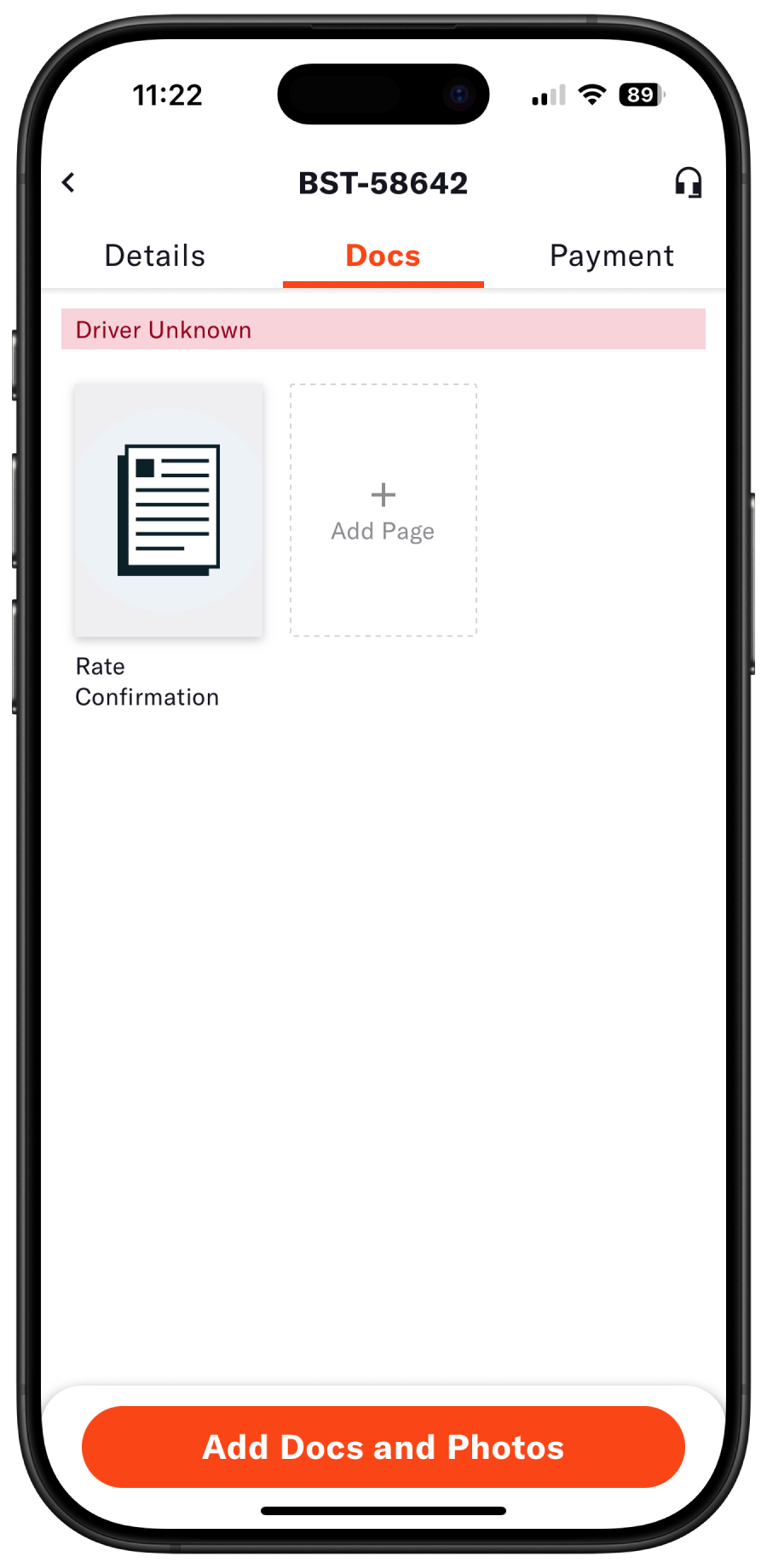 Ratecon in Docs tab
To download your Rate Confirmation:
The ratecon is only available for download directly from carrier.convoy.com
- Log into carrier.convoy.com and select Booked Loads in the side menu
- Select the desired load
- From the load details page, view the Documents section in the bottom right corner.
- Select the download button next to the Rate Con.
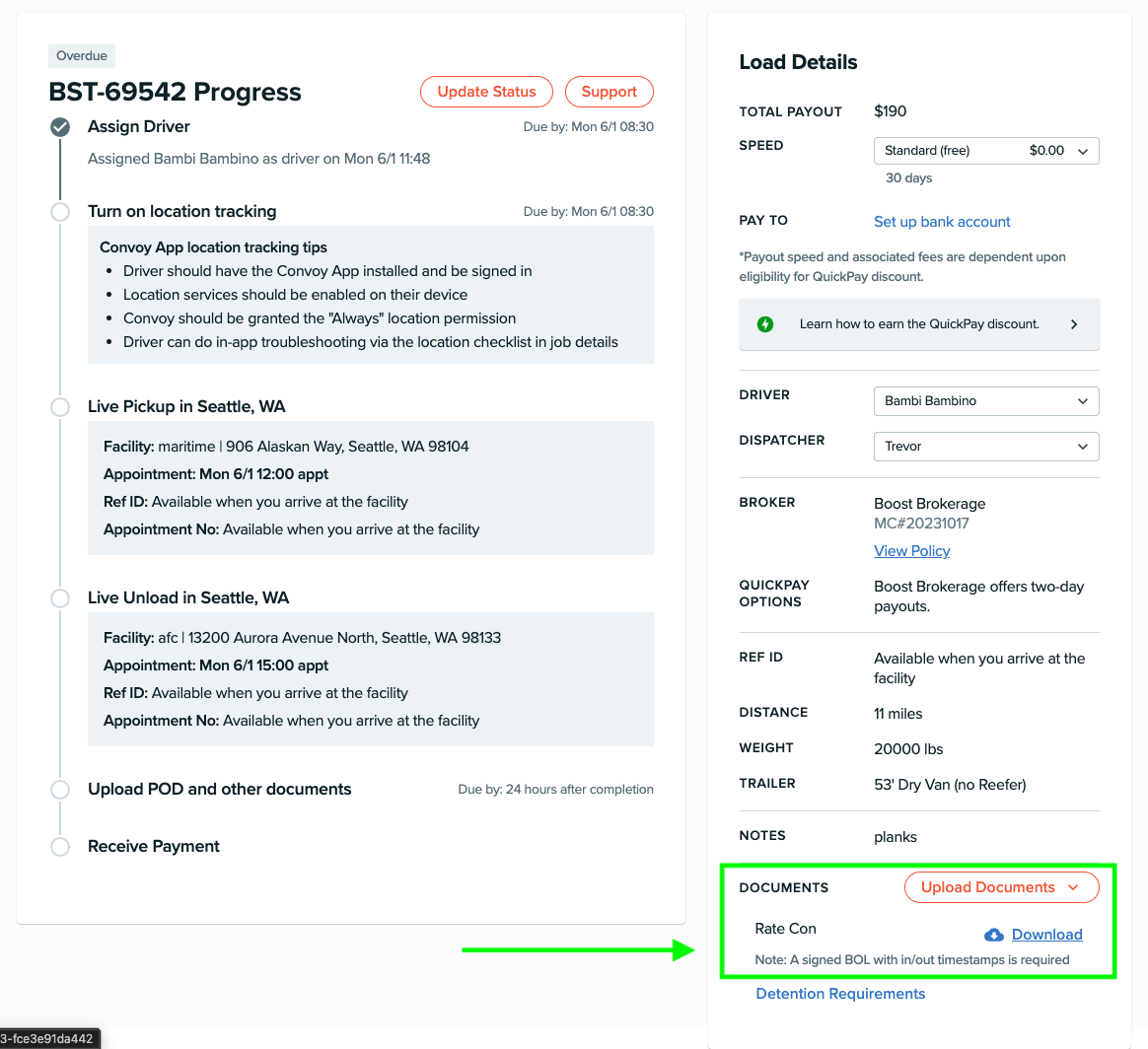 Download rate con from carrier web